Skip to Main Site Navigation Skip to Content Skip to Footer
Back To Top

Requesting Transcripts

Eastern Connecticut State University offers the ability to obtain official transcripts in an electronic (eTranscript) or paper format. Electronic and Paper transcripts can be sent to yourself, educational institutions, potential employers, or any other specified institution or individual.

Requesting eTranscripts is the quickest and most efficient way to obtain your academic record and to show that you have earned a degree (if officially earned). All official transcript requests must be made online through Parchment. 

NOTE: please be sure to verify you are requesting transcripts from Eastern Connecticut State University - Registrar. You will not be able to request transcripts from Admissions.

Important Notes Before Sending/Requesting Transcripts

  • If you need to submit a high school transcript or transcript from another institution to ECSU and the current semester is your first term of attendance or you are an admitted future student, please send transcripts to Eastern Connecticut State University: Admissions.
  • If you are a continuing student sending a transcript to ECSU from another institution, please send it to Eastern Connecticut State University: Registrar.
  • If requesting a transcript from ECSU, please ensure that your Name, Date of Birth, and Last 4 Digits of your SSN are entered correctly and match what is on file with ECSU to avoid any delays
    • Including your Student ID can help match your record, but is not required if the personal information listed above successfully matches your Eastern record)
  • Additional processing time is usually required for those students who attended Eastern prior to Spring of 1989 as it requires manual review.

Requesting a Transcript as a:


Current Student

Current students are able to go through eWeb to get a transcript.

  • Both eTranscript and paper transcripts as well as Official and Unofficial transcripts can be requested using this process.
  • Navigate to: Student: Academic Services Card > Request Official Transcript.
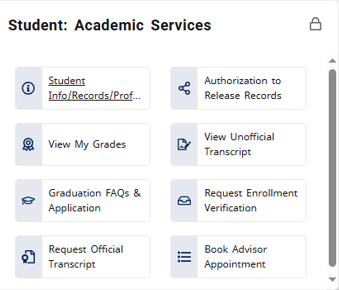
screenshot of the request official transcript page showing the various buttons used for navigating the page

Former Student

If you are no longer an active/attending student or were a High School Dual Enrollment Student, please visit the following link to get started:

the logo for the Parchment application

*Please use a personal email when creating your account. If you already have a Parchment account, you can login normally with your credentials.*

Most requests are processed in fewer than 24 hours. There are no charges for electronic transcript requests or standard domestic shipping. Additional fees apply to rush deliveries and international shipping.

Additional Information

  • Parchment should be used for ALL Official and Unofficial transcript requests. Some account holds will prevent students from requesting transcripts through Parchment. Those holds must be must be resolved through the appropriate office before you can successfully request a transcript via Parchment.

    Note: A transcript is considered OFFICIAL if it is either sent directly from ECSU to the destination OR a physical copy is mailed to yourself and remains sealed (once seal is broken, it is unofficial).

  • Some account holds must be resolved before you can successfully request a transcript via Parchment.

    If you need an Unofficial Transcript, please follow one of the options below depending on your status:

    Current Students

    • Current students can request an unofficial transcript at any time by using their Eastern Email and submitting the following information to registrar@easternct.edu:
      • Your Name and Request for an Unofficial Transcript
      • Student ID
      • Date of Birth
      • Destination of Unofficial Transcript (Individual Email or Mailing Address if not to self)

    Former Students

    Note: IF you submit this form and DO NOT have a Hold preventing you from using Parchment, you will be redirected to make a request through Parchment and your request will not be processed.

    • Former students, who no longer have access to their Eastern Email, can complete an Unofficial Transcript Request Form
    • An alternative option is to submit a note (a picture is acceptable) containing the following information:
      • Your Name and Request for an Unofficial Transcript
      • Student ID or Last 4 digits of SSN
      • Date of Birth
      • Destination of Unofficial Transcript (Individual Email or Mailing Address)
      • Handwritten signature and Date
    • Pending: Order has been submitted and is awaiting processing
    • Processing: The order is being processed
    • Available: (Electronic documents) Order has been processed and the document is available for download
    • Delivered: (Electronic documents) Your document has been downloaded by the recipient
    • Delivered: (Paper documents) Your order has been successfully processed and will be sent as ordered
    • On Hold: Your order has been put on hold — Refer to email comments for details
    • Canceled: Your order has been canceled – Refer to email comments for details
    • Error: A processing error occurred – Refer to email comments for details
    • Partially Delivered: The request has multiple documents. At least one document in the order has been delivered and at least one other document has been cancelled.